
Should Your Website Use www or Not?
Using www is a choice. What matters is choosing one official website address and making both versions work. We explain the effects on design, trust, links and redirects.
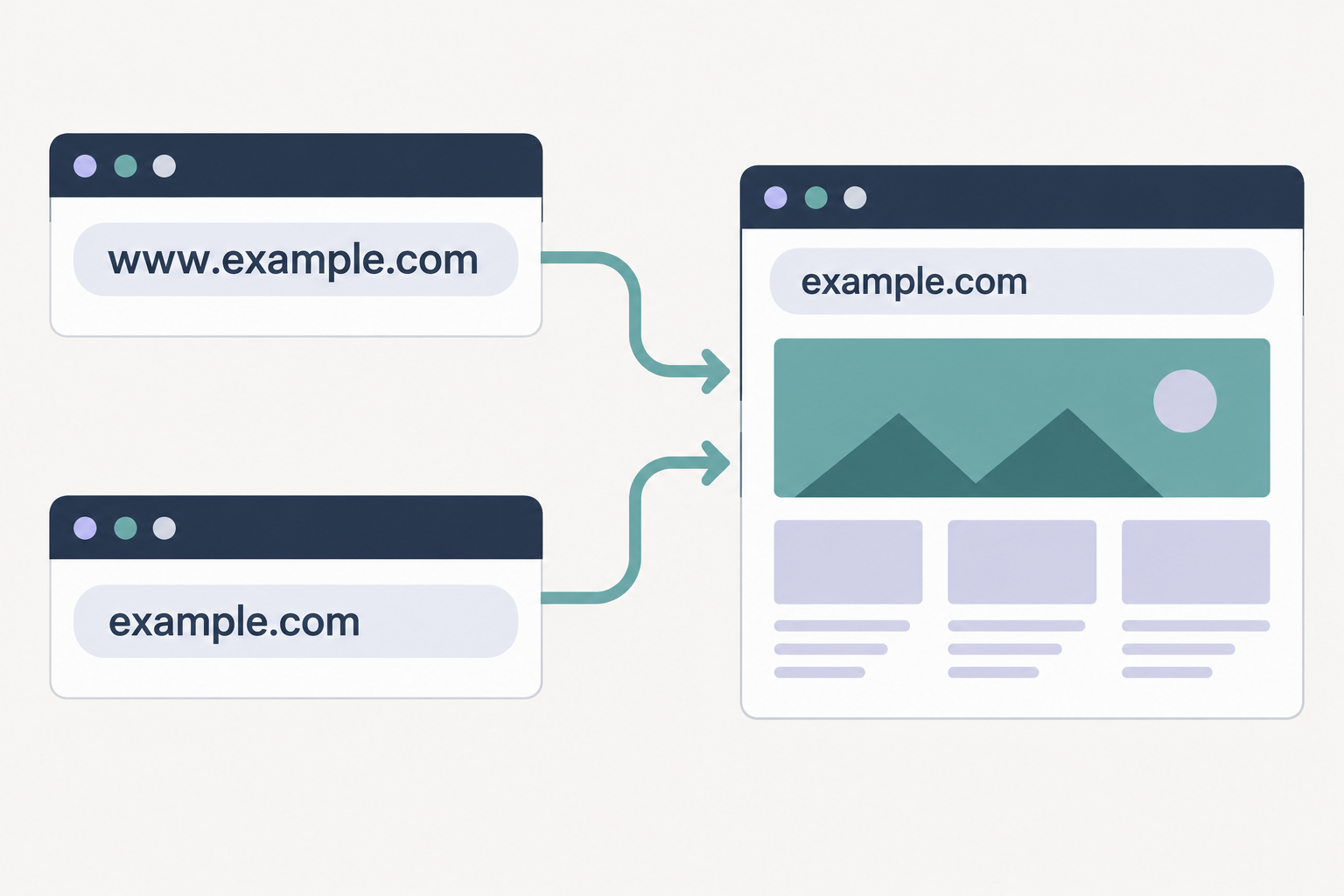
You can run your website at www.example.com or example.com. Either choice works. Choose one as the official address, accept visitors arriving at both, and permanently redirect the other to the matching page.
That is the practical answer. But those four characters touch several different things: how an address looks, what people recognise, what browsers display, and how the website behaves. The interesting part is knowing which of those things you are deciding.
What does www actually do?
www stands for World Wide Web. In a website address, it is a conventional hostname label. Someone chose to call the web service www, and that convention became familiar. The letters have no special power to make an address a website.
In https://www.example.com, the parts do different jobs. https:// identifies how the browser connects, using HTTP protected by encryption. www.example.com identifies the host it connects to. Removing www. changes that host. Removing https:// from a printed address merely leaves the reader or their software to supply the connection scheme.
You can recognise a website address without knowing what either abbreviation expands to. Familiarity and technical understanding are different things. We do not need every visitor to pass a networking exam before reading a business card.
Four characters are still a design decision
On a poster, in an email signature or beside a logo, example.com gives the eye less to work through than www.example.com. For a new website, that is a reasonable argument for the shorter version. We would treat it as a design judgement, rather than claim that everyone now recognises every domain ending.
Context matters. An unusual address in ordinary prose may benefit from a label such as “Website”. A familiar address beneath your company name may explain itself. Adding www. is another possible cue. Choose what helps the reader in that particular layout.
The browser also makes its own presentation choices. Chromium's URL display guidance describes simplifying some displays by omitting www. What you see depends on the browser, version, settings and whether you are viewing or editing the address. A shortened display does not mean the website has changed its official hostname.
Familiar does not mean trustworthy
There is a tempting shortcut when scanning an address: spot something familiar, decide it looks like a website, and move on. Our concern with unnecessary characters is that they can distract from the name that deserves attention. That is a reason to make addresses readable. It is not evidence that removing www. prevents scams.
A fraudulent website can use www. It can also use HTTPS. Chrome's explanation of its lock-icon change makes the distinction clear: an encrypted connection does not establish the trustworthiness of the website at the other end.
Look at the actual domain and the context in which you received the link. A familiar prefix cannot tell you who operates a business or whether a payment request is legitimate. Choosing your own prefix is a branding and configuration decision, not a security credential.
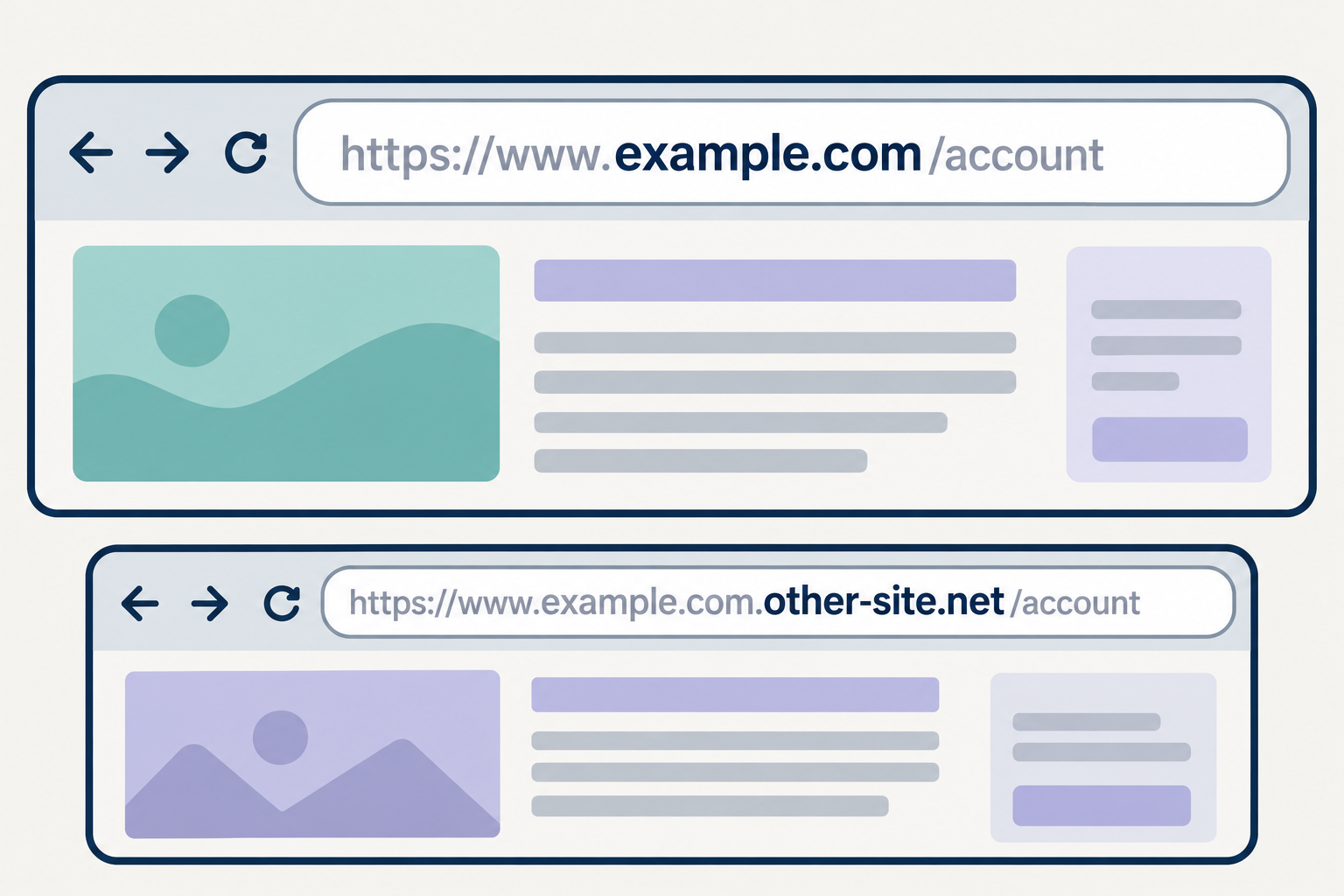
In the illustration below, www.example.com.other-site.net belongs under other-site.net. The familiar-looking www.example.com at the front does not make it part of example.com. Reading the whole hostname changes what you see.
Why does ordinary text keep turning into links?
There is a related irritation: type two pieces of text with a dot between them and an app may decide you meant a website. Suddenly part of a document is blue and clickable.
That behaviour belongs to the application. Its link-detection rules decide which patterns look like addresses. They vary between products and settings, so text.text will not become a link everywhere. Dropping www did not itself create a universal rule for displaying text.
Microsoft documents Word's automatic hyperlink feature as converting text that looks like an address, without checking whether the link is valid. If the feature gets in your way, change the editor's automatic-link setting or remove the link. Your website's hostname will not fix the editor's guesswork.
Two working addresses need one destination
To the technical system, example.com and www.example.com are different hosts. Even when they show identical pages from the same server, browsers treat them as different origins. Login state or saved browser data can therefore behave differently, depending on how the application is built. That is a possible consequence, not an automatic fault in every website.
For one public website, our recommendation is one official destination. The other address remains available as an entrance. It sends visitors onwards instead of serving a second independent copy. MDN's guide to the choice also recommends consistency and making both forms work.
For ordinary webpage visits, a 301 permanent redirect is a standard way to do this.
What is a 301 redirect?
A 301 redirect is a server response that says a page has permanently moved to another address. The browser follows the supplied destination automatically. For this choice, it takes a visitor from the alternative hostname to the same page at your official address.
For example, if the shorter version is official, a visitor opening https://www.example.com/contact/ should arrive at https://example.com/contact/. Keep the page path and any query parameters. Sending every old address to the homepage leaves the visitor to find the page again.
There is one implementation detail to flag for your developer: forms, APIs and other requests that submit data deserve a separate check. A 301 can change a POST request to GET. Where the method and submitted body must remain intact, a method-preserving redirect such as 308 may be appropriate.
What to ask the person running your website
You do not need to configure the server yourself. Ask them to confirm these points:
- All four entrances work: HTTP and HTTPS, each with and without
www. They lead to the chosen HTTPS address. - Both hostnames have valid HTTPS certificates. The browser must establish that connection before it can receive an HTTPS redirect.
- Redirects keep visitors on the corresponding page, retain query parameters and avoid unnecessary intermediate stops.
- Internal links, the sitemap and each page's canonical address agree on the chosen version.
That last point also helps search engines. Google treats redirects and canonical declarations as signals about which URL represents a page. A canonical declaration guides search engines; it does not move a visitor to the other address. Use the redirect to give people that consistent destination.
Choose once, then look after it
For a new site, consider the shorter address, the way it looks in your materials and any hosting constraints your provider identifies. An established website working well with www does not need a migration simply because shorter addresses look fashionable.
The more consequential question is whether your business can keep managing the address. Our article on who should control your business domain name covers that responsibility.
Neither prefix choice is wrong. Choose the form that suits the website, use it consistently, and make both ways of typing it take people to the right page.