
AI enhanced apps, websites and software
AI
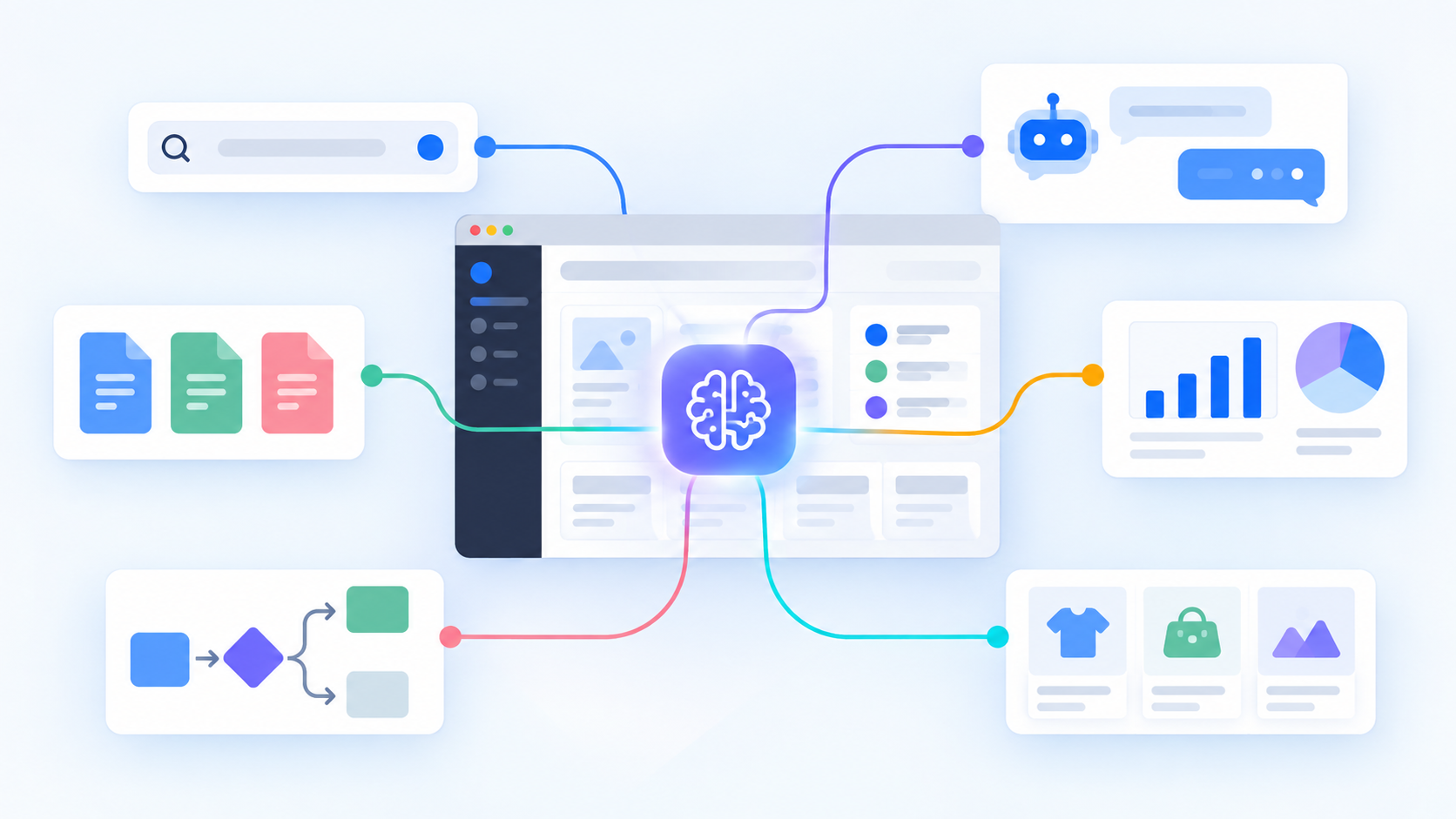
Here are practical examples, from small changes to larger product features.
Search
AI can help search understand a request even when it uses different words from the content being searched.
- Product search. Someone types “light shoes for long walks in rain” and finds waterproof walking shoes, even if the product descriptions use different words.
- Search across documents. A team searches contracts, manuals or reports using a question instead of remembering a filename.
- Property and travel search. A visitor describes what they want in a sentence. The website matches that description against structured details, descriptions and location data.
- Internal search. An employee searches across the company wiki, support history and project files from one place, subject to their access rights.
- Image search. A customer uploads a photo to find visually similar products or replacement parts.
The search box can stay as it is. The change is in how results are matched and ranked. Filters can still handle exact requirements such as price, size or availability.
Meaning-based search can find relevant material under different wording. It still needs good source data, sensible filters and a way to show why a result was returned.
Recommendations and matching
Recommendations can help people choose from a large set of relevant options.
- Products. A shop suggests compatible accessories, replacements or alternatives that meet the customer’s stated requirements.
- Content. A publishing site suggests another article based on the subject of the one being read, not only its category label.
- Next actions. A business system brings up the customers, orders or tasks that may need attention, with a reason a person can inspect.
- Service matching. A marketplace matches a request to suitable providers based on location, availability, skills and the details in the request.
- Similar cases. A support agent sees past tickets that resemble the one open now, along with the resolution.
Some recommendations can be built with ordinary rules. AI becomes more interesting when descriptions are messy, relationships are hard to list by hand or the catalogue changes often.
Chat and questions
A chat interface lets someone ask for information in their own words. Its usefulness depends on the information and actions connected to it.
- Website questions. A visitor asks about delivery areas, service conditions or product compatibility and gets an answer grounded in the website’s actual information.
- Product guidance. A customer describes their situation and the assistant narrows the catalogue to a few suitable options.
- Internal questions. A colleague asks how to handle a particular process and gets the relevant policy and a link to it.
- Questions about records. A manager asks which orders are delayed or what changed since last week. The system retrieves the permitted records and explains the result.
- Guided actions. An assistant helps fill in a form or start a workflow, showing the proposed changes before anything is saved.
The same capabilities can also appear as a search result, a suggestion next to a form or a button in the existing interface. Chat is useful when people need to describe a problem or ask a follow-up question.
A customer-facing assistant should be able to say that it does not know. A confident invented delivery date is worse than a clear route to a person who can check it.
Customer support
Support systems receive questions in many forms, and a lot of the work happens before anyone writes a reply.
- Ticket sorting. Incoming messages are grouped by subject, product, language or urgency.
- Suggested replies. An agent receives a draft based on the customer’s message and the current support material.
- Relevant history. The system surfaces earlier conversations and known issues while the agent reads a new ticket.
- Missing details. Before a ticket reaches an agent, the system asks for an order number, screenshot or other information needed to investigate it.
- Escalation. Potential payment failures, safety concerns or repeated unresolved issues can be highlighted for review.
- Conversation summaries. A long thread becomes a short handover with the original messages still available.
These features can work separately. A small support team might benefit from sorting and summaries without putting an automatic reply in front of customers.
Forms and incoming requests
People rarely describe their needs in the exact structure a form expects. AI can help interpret the free-text parts while the form keeps clear fields for facts that must be exact.
- Contact forms. A project enquiry is tagged as a website, app, integration or support request, then routed to the right person.
- Service intake. A customer explains an issue in plain language and the system extracts the product, symptoms and requested outcome.
- Long forms. The system suggests values for structured fields from an uploaded document or a written description. The person reviews them before submission.
- Duplicate requests. Similar submissions can be grouped for a team to check.
- Application review. An admin sees a short summary of an application alongside the original answers.
A simple form may already be enough. These additions make more sense when free-text requests take time to read, sort or transfer into another system.
Documents and files
Documents contain useful information, but the details are often difficult to move into a database or compare across files.
- Invoices and receipts. Extract supplier names, dates, line items and totals for review before they enter accounting software.
- Contracts. Locate renewal dates, notice periods and named parties across a set of agreements.
- Proposals. Compare versions and show changed prices, deliverables or conditions.
- Manuals. Answer a question with a reference to the page or section used.
- Claims and applications. Check which required documents appear to be present and flag missing or unclear items.
- Bulk imports. Turn varied spreadsheets, PDFs and text files into a common structure for an operator to confirm.
Extraction saves retyping, especially when files arrive in inconsistent formats. The original file and the extracted value should remain connected so a person can check a questionable result.
A document summary is convenient. For dates, amounts and obligations, the source passage matters more than the summary. Show both.
Email and messages
Email is often where work enters a business, even when the actual work happens elsewhere.
- Shared inbox routing. Messages go to sales, billing or technical support based on their content.
- Thread summaries. Someone taking over a conversation sees the current request, decisions and unanswered questions.
- Reply drafts. The system prepares a response from approved information and the conversation so far.
- Follow-up reminders. A message asking for a decision can become a suggested task with a date and owner to confirm.
- Attachment handling. An attached order, form or invoice is recognized and sent to the right review queue.
- Language support. Incoming messages can be translated for the team, with the original text kept visible.
These features can sit inside an existing inbox or internal system. Sending messages automatically needs stricter rules than drafting them for review.
Online shops and catalogues
Large catalogues create problems that a basic search box and category tree cannot always solve.
- Product comparison. Customers ask for the differences between two models and see an answer based on their specifications.
- Compatibility help. A shopper enters the model they own and sees parts or accessories likely to fit, with compatibility rules checked where available.
- Attribute extraction. Details from supplier descriptions are suggested as catalogue filters, then reviewed before publication.
- Catalogue cleanup. Similar or duplicate products are flagged for an editor.
- Product questions. Customers ask about dimensions, materials or use cases without reading every specification page.
- Demand patterns. Sales history can help forecast stock needs when there is enough reliable data.
- Returns analysis. Common reasons in return notes are grouped to reveal confusing descriptions or recurring product issues.
A shop can add one of these features without redesigning the entire buying experience.
Content and publishing
Editors spend time organizing and maintaining content after the first draft is written.
- Tags and categories. Articles are assigned suggested topics that an editor can accept or correct.
- Related content. Readers see relevant articles or help pages based on meaning rather than a shared tag alone.
- Old content checks. Pages mentioning outdated prices, dates or discontinued products can be flagged for review.
- Content reuse. A long interview or report can be turned into draft summaries for different channels.
- Translation drafts. Teams get a first version in another language, then review names, terminology and local context.
- Alternative text. Image descriptions are suggested for an editor to check, improving the coverage of a large media library.
Publishing still needs an owner. An incorrect product detail can spread through several pages very quickly if generated text is accepted without review.
Images, audio and video
AI can work with more than written text. That opens up useful features in existing products.
- Visual product lookup. A photo helps identify a product or find similar items in a catalogue.
- Photo sorting. Uploaded images are grouped by subject, product, location or visible damage.
- Inspection support. A worker receives a suggestion that a photo may show a defect and checks it against the original image.
- Speech transcription. Meetings, calls or field notes become searchable text, where recording and access are permitted.
- Video search. A team searches a recording by spoken topic and jumps to the relevant time.
- Captions. A publisher creates draft captions for a video, then corrects names and technical terms.
- Audio notes. A worker dictates a job update and reviews the structured record before saving it.
Quality varies with lighting, sound and the material being processed. The interface should make uncertain results easy to correct.
Accessibility and language
AI can help adapt content to the way a person needs to use it.
- Plain-language explanations. A user can request a simpler explanation of a dense instruction while the original stays available.
- Multilingual help. Visitors can ask a question in their language and receive an answer based on the same source material.
- Captions and transcripts. Audio and video content becomes easier to access and search.
- Image descriptions. Editors get a starting point for describing meaningful images.
- Reading support. A complex page can provide a short summary with links back to the full sections.
These features need review where accuracy matters. A generated description can miss the important part of an image, and an automatic translation can change the meaning of a policy.
Business records and internal tools
The same information may be scattered across customers, orders, notes, documents and tasks. AI can bring the relevant parts together inside the tools people already use.
- Customer history. A salesperson gets a short account summary with links to recent orders, conversations and open issues.
- Project handovers. A new team member sees key decisions and outstanding work gathered from project records.
- Record matching. The system suggests that two differently written company names may refer to the same customer.
- Data cleanup. Inconsistent categories, addresses or descriptions are flagged for correction.
- Natural-language questions. A manager asks “Which jobs are waiting for approval?” and gets a list based on live records.
- Knowledge retrieval. An employee finds an old decision by describing the situation rather than knowing the project name.
- Next-step suggestions. A system proposes a follow-up after a meeting or a missing document in an approval process.
Permissions still apply. If a user cannot open a financial record, an assistant connected to that system should not reveal it through a summary.
An AI feature is only as current as the data it can see. A useful answer should make clear whether it came from live records, an older document or a general model response.
Analysis and reporting
Many dashboards can show a change. Explaining where to investigate it takes another step.
- Unusual changes. A reporting tool flags a sudden increase in returns, failed payments or support requests.
- Questions about charts. A user asks what changed this month and sees the relevant figures and possible contributing categories.
- Written report drafts. A weekly report starts with a concise description of measured changes, ready for an analyst to edit.
- Feedback themes. Open-ended survey answers are grouped by recurring issue, with representative responses available.
- Operational patterns. A team sees that delays tend to occur for a particular supplier, product type or step in its process.
- Forecasts. Historical data can support estimates of demand, workload or staffing needs, with uncertainty shown.
A system can point to a pattern without knowing its cause. If sales fell after a site change, that timing alone does not prove the change caused it.
Scheduling and planning
Scheduling involves constraints, preferences and changes that rarely fit neatly into one form.
- Appointment suggestions. A system proposes suitable slots based on availability, location and the type of work.
- Job assignment. Incoming work is matched to people with the right skills, capacity and location.
- Route planning. Field visits can be grouped into workable routes while accounting for time windows.
- Workload forecasts. A team can prepare for likely peaks using past demand and upcoming bookings.
- Change handling. When a job is cancelled or delayed, the system suggests adjustments for a coordinator to approve.
Confirmed availability, legal limits and hard scheduling rules should remain explicit in the software. Predictions and suggestions work around those constraints.
Checks, moderation and risk signals
AI can help review large volumes of material and put unusual cases in front of a person.
- Content moderation. Comments or uploads that may break published rules are flagged for review.
- Spam detection. Forms and messages can be assessed using content and behavior signals.
- Transaction review. Unusual orders or account activity can be highlighted for investigation.
- Quality checks. Records with inconsistent values, missing fields or unusual patterns can be surfaced before processing.
- Policy checks. A draft or submitted file can be compared with a checklist, with any possible issue linked to the relevant passage.
A flag is a signal to check, especially when blocking a legitimate customer or payment would have a real cost.
The threshold matters as much as the model. A system that catches more bad submissions may also interrupt more legitimate ones. Both results need to be measured.
Routine work and workflows
Some tasks involve reading an input, choosing a path and preparing the next step. AI can help with the parts that depend on interpreting language or images.
- Request triage. A new enquiry is summarized and placed in the right queue.
- Order exceptions. An unusual order is explained to an operator with the relevant records attached.
- Document preparation. Information from a request and existing records is assembled into a draft document.
- Approval assistance. A reviewer sees what changed, what is missing and which parts need attention.
- Task creation. Action items from a meeting or customer message become proposed tasks for someone to confirm.
- Multi-step assistance. A system gathers information, prepares an action and asks for approval before it changes a record or contacts a customer.
Automation can be introduced one step at a time. A team may start with suggestions, see where they are reliable and then allow selected actions to run automatically.
Where to start with an existing product
The examples above can be built into an existing website, app or internal system . The work depends on the current software, its data and the feature being added. A website assistant needs trustworthy content. A catalogue search needs usable product information. A workflow assistant needs clear permissions and a defined action it can take.
It is also possible to begin with a narrow feature. Search one document library. Suggest categories for one inbox. Extract a few fields from one type of form. That gives the team real results to review before expanding the feature.
This work is often described as AI integration or adding AI features to existing software . The visible result might be a better search box, a useful suggestion or a shorter task for someone on the team. The product can keep its familiar interface and purpose.
If you have an app, website or business process in mind, tell LINK-V what it currently does and what you would like to improve . We can look at the existing system and work out which ideas fit it.