
What Should Website Monitoring Actually Check?
Website monitoring should test the outcomes a business depends on, not only whether its homepage responds. Here is what a useful monitoring plan should cover and what to ask the person responsible for it.
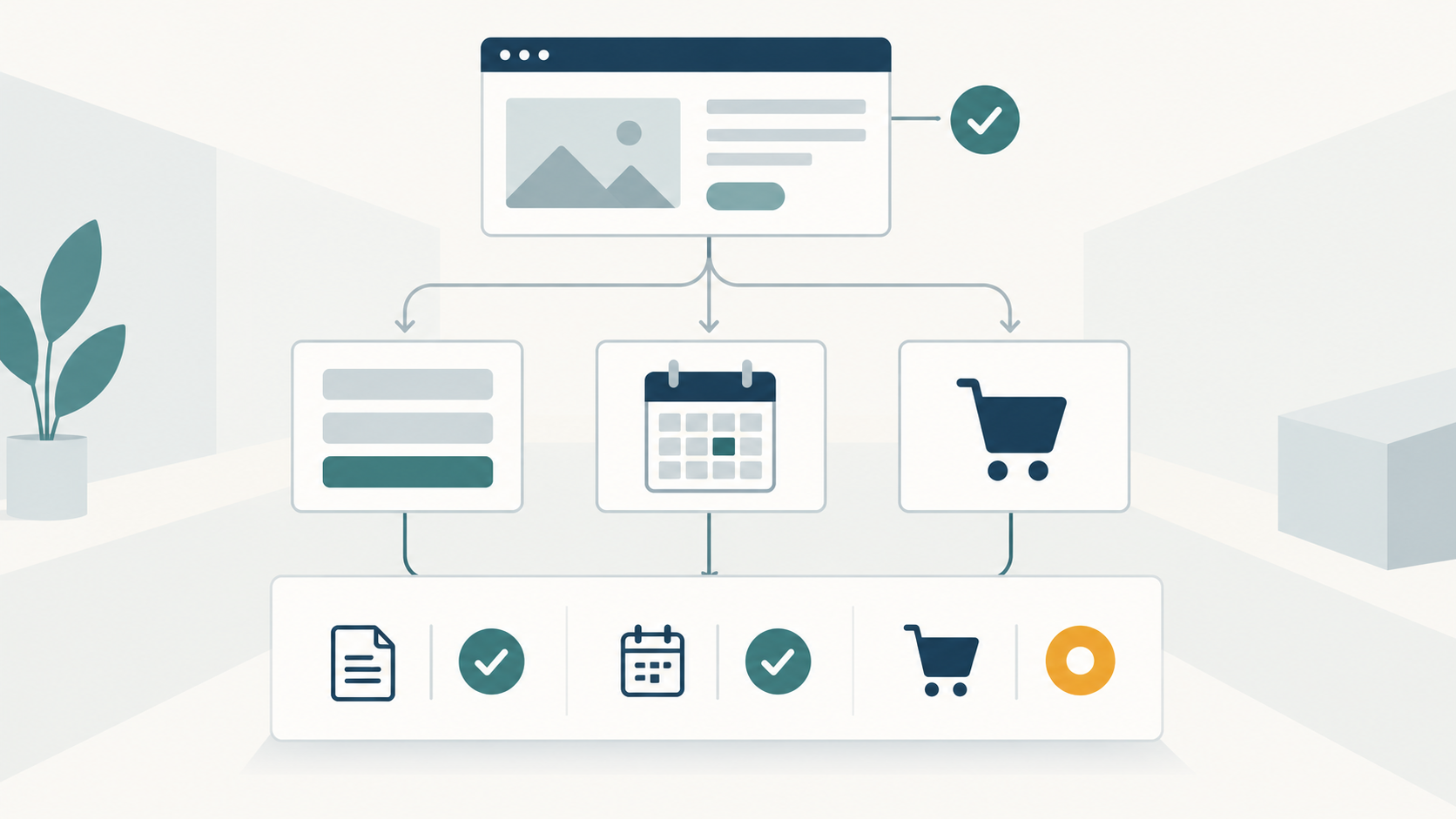
Website monitoring should check the smallest useful set of outcomes the business depends on. A homepage response is one check. It does not show that an enquiry can be sent, a booking can be requested, a product can be added to a basket, or a member can sign in.
Start with the website’s purpose. Choose the important actions that can be tested safely, define what success looks like, and decide who should receive an alert when a check fails. This produces a monitoring plan that can be understood and reviewed without turning it into a list of technical measurements.
What does an uptime check prove?
A basic uptime check usually requests a page and confirms that the server responds. It can detect a complete outage, but its result depends on what the check actually verifies.
A page can return a successful response while displaying the wrong content, omitting an important component, or failing when a visitor tries to use it. A stronger page check can also confirm that an expected heading, product, form, or other stable element is present.
This does not make uptime checks unimportant. It gives them a clear job: confirming that a known public address responds as expected. Other checks are needed for other outcomes.
Which website functions should be monitored?
The answer depends on what the website is expected to do. Monitoring every possible action is rarely necessary, and some actions cannot be repeated safely without creating unwanted records, messages, or payments.
- An informational website may need checks for its homepage, contact page, important service pages, and enquiry route.
- A booking website may need a safe check that the calendar or availability step loads and accepts an agreed test path.
- An online store may need to confirm that a product can be viewed and added to a basket without placing a real order.
- A member website may need a controlled test account that can reach the sign-in step and an agreed protected area.
- A publisher may need to confirm that new articles, category pages, feeds, or subscription routes remain available.
These are examples, not a fixed package. The useful question is: which failed action would stop the website doing an important part of its job?
What should each check confirm?
Each check should have an observable result. “Check the form” is vague. A more useful definition says which page is opened, which safe test action is performed, what response confirms success, and whether the test creates anything that must be removed.
For an enquiry form, a browser check might confirm that required fields can be completed and that the website accepts the submission. That still does not prove that the resulting email reached an inbox. We explain that distinction in our article about contact form delivery.
Automated browser checks are often called synthetic monitoring. They repeat defined actions under controlled conditions. Real-user monitoring collects evidence from actual visits. AWS describes these as complementary sources: synthetic routines can test critical workflows at regular intervals, while real-user data shows what visitors experienced across their devices and conditions in practice. AWS provides an overview of both approaches.
Should website monitoring include speed?
Yes, when speed matters to the website’s purpose, but availability and speed should remain separate signals. A page can be available and unusually slow. It can also load quickly while an important function fails.
A controlled test is useful for spotting changes under repeatable conditions. Field data helps show the range of experiences actual visitors had. Google’s Web Vitals guidance notes that laboratory and real-user measurements can differ because devices, connections, locations, content, and interactions differ. The Web Vitals measurement guide explains the distinction.
A monitoring plan should therefore say what is being measured, where the evidence comes from, and what change deserves attention. One universal speed threshold or test location will not describe every audience.
Which preventive checks can provide an earlier warning?
Some technical checks can warn about conditions that may later affect the website. Depending on the site and the responsibilities agreed, these may cover domain and DNS resolution, certificate expiry, hosting or resource limits, scheduled jobs, and critical external dependencies.
These checks supplement outcome checks. A warning about an approaching limit does not by itself prove that a visitor is affected, and it does not establish the cause of a separate user-visible failure. Its value is giving the responsible person a reason to investigate before or alongside a problem that people can see.
When should an alert reach a person?
An alert is useful when it reaches someone who can assess it, with enough context to decide what happens next. The message should identify the failed check, the affected page or function, when the failure began, whether it is continuing, and how serious the monitored outcome is.
Different failures may justify different routes. A brief failure of a secondary page does not necessarily need the same response as a checkout or client-access failure. The appropriate timing, recipient, and escalation path depend on the website and the support arrangement.
Google’s incident management guidance recommends covering key user-facing functionality, generally alerting on symptoms rather than assumed causes, and keeping alerts actionable. It also allows for preventive internal alerts where a condition such as an approaching hard resource limit could cause a sudden failure. For a business website, the alert should make clear whether it reports an observed user-facing problem or an internal warning that needs investigation.
What does monitoring not replace?
Monitoring can reveal that something has changed or failed. It does not replace backups, security work, software maintenance, access control, recovery planning, or a tested response process.
It also does not answer every commercial question. Analytics can show how visitors use the site, while Search Console reports how Google crawls, indexes, and presents it in search. Google explains the role of Search Console in monitoring search performance. Neither is a substitute for checking whether the website itself performs its required actions.
What should we ask for in a monitoring plan?
A business owner or manager should be able to get clear answers to these questions:
- Which pages and business functions are checked?
- What does each check prove, and what does it not prove?
- How often does each check run?
- Does any test create bookings, orders, messages, accounts, or other records?
- Who receives an alert, and what information does it contain?
- Which failures require immediate attention, and which are reviewed later?
- How are changes to the website reflected in the checks?
- What monitoring history or summary can be reviewed?
- Who is responsible for investigating and responding?
The answers do not need to describe every technical component. They should make the practical coverage and responsibility clear.
Monitoring can form part of wider website maintenance, alongside updates, backups, certificates, support, and other ongoing care. When we assess an existing website, the appropriate checks depend on its functions, integrations, risks, and the support scope agreed with the client.