
Your Website Contact Form Says “Sent”: Why Didn’t the Enquiry Arrive?
A contact form success message confirms only part of the journey. Here is how to trace one controlled enquiry through the website, sending service and receiving mailbox without making speculative changes.
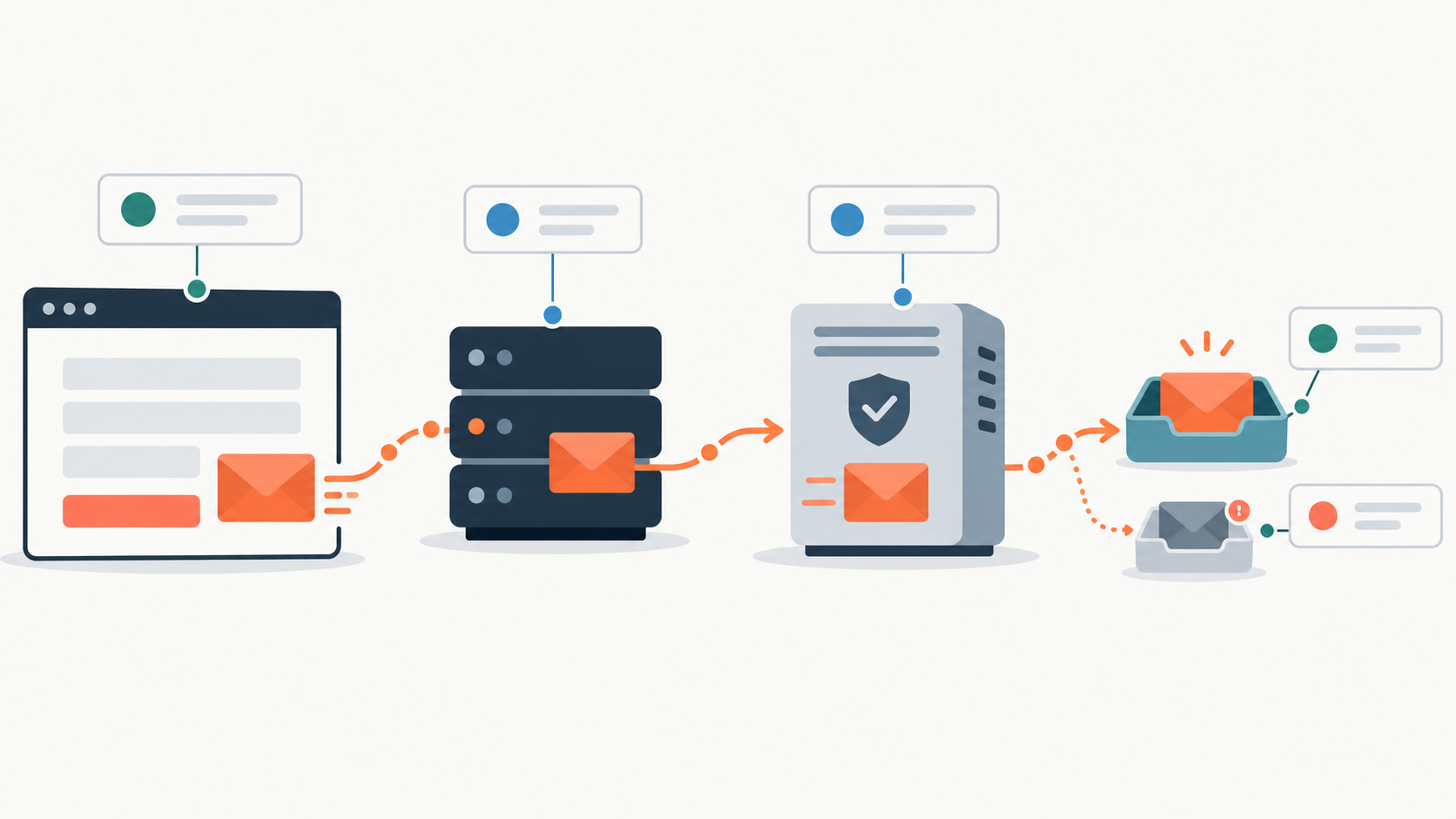
A “sent” or “thank you” message does not prove that an enquiry reached the intended inbox. It may mean only that the website accepted the form submission without reporting an immediate error.
The safest investigation is to preserve and trace one controlled submission across four stages: the website or form record, the sender or sending service, the recipient mail server, and the receiving mailbox. Investigate the first stage that cannot be verified. Restore logging there, or fix a failure only when the evidence confirms one. Starting with random plugin changes or DNS edits can obscure the original failure and introduce new ones.
What does “sent” actually confirm?
A contact-form message passes through several separate stages:
- Form acceptance: the website accepts the data and shows a success response.
- Sender or service acceptance: the website passes the message to a local mail process, SMTP service or email API, which accepts or queues it.
- Recipient mail-server response: the receiving mail server accepts, defers or rejects the message.
- Mailbox placement: the receiving system delivers an accepted message to the inbox, spam folder, quarantine or another location determined by its rules.
WordPress documentation, for example, says that a successful wp_mail() result means the request was processed without an error, not that the recipient received the email. The same distinction can apply on other platforms even when their terminology differs.
How should you run a controlled contact-form test?
Submit one test through the public form as a visitor would. Use a unique reference that cannot be confused with an earlier message, such as ENQUIRY-2026-10-06-1437. Put it in the message and, where possible, the subject or name field.
Record the exact submission time, including time zone, the page URL, the destination address you expected the form to use and a screenshot of the success response. Use realistic but non-sensitive content. Avoid sending many rapid tests: repeated near-identical messages can complicate logs and may trigger rate limits or filtering.
Then trace that reference in order:
- Does the website retain a submission with the same reference and timestamp?
- Is there a sender or sending-service event showing that the message was accepted, queued or failed?
- Did the recipient mail server accept, defer or reject the message?
- Can the receiving mail administrator find an accepted message in message trace, quarantine, spam or mail-flow rules?
If the form has no retained record, investigate the form-processing stage. If the record exists but there is no sender or sending-service event, investigate the website-to-sender handoff. If the sender accepted or queued the message but there is no recipient mail-server response, investigate the sender’s queue and delivery records. If the recipient mail server deferred or rejected it, use that response rather than guessing. If the recipient mail server accepted the message, investigate filtering, routing, quarantine and mailbox rules.
What evidence should you request from a technical provider?
Ask for evidence tied to the unique reference and timestamp, not a general statement that the form “works.” Useful items include:
- the retained submission or form-processing record;
- the configured recipient address at the time of the test;
- the outgoing event, queue record or sending-service event;
- a message ID or provider event ID;
- the remote server response, including any acceptance, rejection or deferral code;
- bounce, suppression or complaint records;
- the receiving mailbox trace and any quarantine or routing result.
Not every setup exposes every item. A gap in logging is still useful information: it shows where the current service cannot verify what happened.
Which From and Reply-To addresses should the form use?
A visitor’s address should normally not be used as the message’s sender identity. A safer pattern is:
From: Website Enquiries <forms@example.com>
Reply-To: visitor@example.net
The fixed From address identifies the website’s mail stream, while Reply-To lets staff reply to the visitor normally. The real sending server or service must be authorised for the actual domain and mail setup; merely choosing an address on the business domain does not provide that authorisation.
This pattern also avoids making the website appear to send on behalf of arbitrary visitor domains. Recipient systems increasingly check whether the visible sender domain aligns with authenticated sending through SPF or DKIM under DMARC.
Could email authentication be involved?
Possibly, but authentication is only one branch of the investigation. Depending on the evidence, the cause could instead be form validation, an incorrect recipient, a failed handoff, a sending quota, a provider suppression, a rejection, spam classification, quarantine, forwarding, or a mailbox rule.
Do not edit DNS records until every legitimate sender for the domain has been inventoried, including staff mail, website messages, invoicing systems, newsletters and other services. Replacing an SPF record or changing DKIM or DMARC without that inventory can disrupt mail that currently works. Any DNS change should follow the evidence and be checked against the requirements of the actual sending services. Google and Yahoo publish sender guidance that can help with those checks. The same sender inventory matters when changing mail providers, because website mail and other automated systems must move or remain authorised deliberately.
What should a dependable setup retain?
A durable contact-form setup should include retained submissions with suitable access and retention controls, an authenticated sending route, searchable event or delivery logs, and alerts for failures such as repeated rejections or exhausted quotas. It should also be tested periodically through the real public form to a monitored business mailbox.
One test reaching one inbox is encouraging, but it does not prove reliable delivery to every provider or at every later time. Keep the records needed to investigate the next message without reconstructing the event from memory.
If you want a second pair of eyes, we can trace one controlled enquiry from submission to recipient and identify the first stage that cannot be verified.