
Apple Lets Companies Buy Subscription Seats. What Should Your App Check?
A company can now buy subscriptions for its editors through Apple. The person paying may never use your app. Check how each editor gets access, what happens when someone leaves and how a replacement takes their seat.
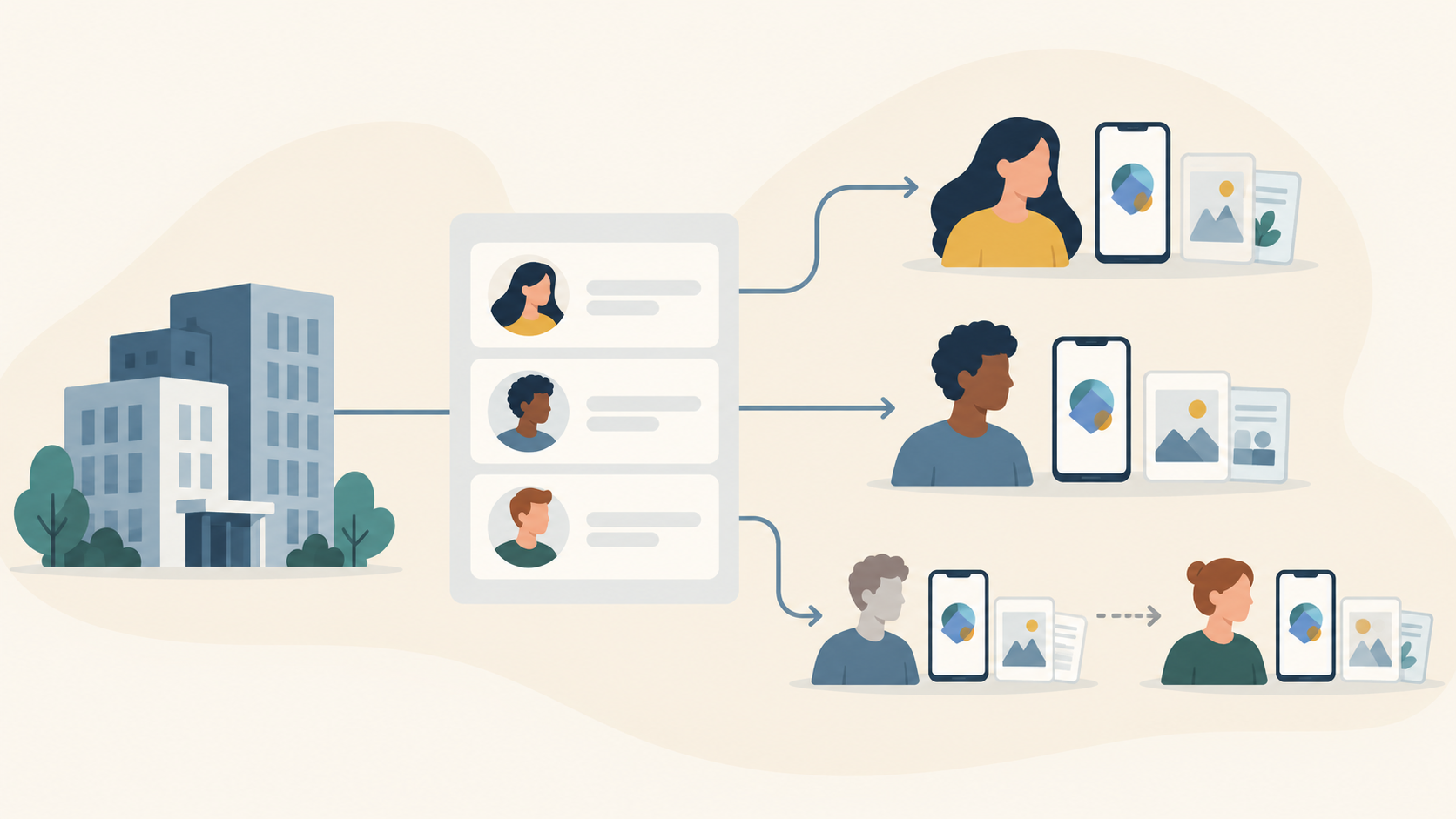
If you want to sell your subscription app to companies, start with what happens after they pay. Can each person open the app and use their assigned access? When someone leaves, can the company give that seat to a replacement?
Imagine a publishing company buying your editing app for six editors. One person pays. Six other people need to get on with their work. A seat means subscription access assigned to one person.
Apple now provides a way for organizations to make that purchase. Your next step is to check whether your app can serve those people properly, then decide whether this is an offer you want to make.
What Apple has made available
In its October 22, 2026 announcement, Apple says businesses and schools can now buy subscription seats through Apple Business and Apple School Manager. They assign and manage the seats using their device-management tools.
A separate option will let groups buy subscriptions through the App Store. Apple says testing in Sandbox, its test environment, starts October 28, with App Store availability announced for winter. That group option is still ahead of us.
Follow one editor into the app
Back to our example. The company assigns a seat to an editor. What happens when she opens your app?
Ask your app team to show you. If your app already asks people to sign in, check how her assigned subscription fits that account. Can she reach the paid tools through the sign-in she normally uses? What will she see if the app fails to recognize her access?
Apple's session on subscriptions for groups and organizations explains that an assignment creates a transaction for the member, which the app uses to grant access. It requires StoreKit 2, Apple's technology for handling in-app purchases. Ask the team to confirm that your app uses the required technology and handles these purchases.
You don't need to review the code yourself. You need to see whether the editor can do the work the company paid for.
Now replace an editor
Suppose that editor leaves and someone else takes her place. Ask the team to show what happens when her seat is removed and assigned to the replacement. Check what paid access ends, how the new editor starts and what each person sees.
Use a supported, safe test setup with representative accounts and data. Arrange the demonstration with your app team rather than changing live customers' subscriptions to see what happens.
Austin Blake's June analysis for RevenueCat highlights this separation between the purchaser and the user, including assignment, removal and reassignment. RevenueCat sells subscription tools; this was a prelaunch engineering analysis. Those are useful questions to ask, rather than evidence of how sales will turn out.
Also agree who answers when the company says it has bought access but an editor cannot use it. Your support team needs a way to understand the problem and pass technical questions to someone who can investigate.
Who can see the company's work?
If each editor uses the app independently, selling several seats needn't turn it into a shared workspace.
If your app already has shared projects, check those permissions separately. Who can invite people, see a draft, change it or remove it? Does the replacement editor receive access to the right projects? What happens to work the departing editor created?
A paid seat gives subscription access. It doesn't by itself decide who administers the company's workspace or who may read everybody else's work. Ending someone's paid access and deleting business records are separate decisions.
Check the settings, then choose your next step
Ask your team to review the actual subscription settings in App Store Connect. Apple's purchase-options guidance describes controls for individual subscriptions. Defaults have exceptions, including older subscriptions without StoreKit 2 or with Family Sharing. Subscriptions in Apple's Custom Apps have different controls and cannot opt out of multiseat purchasing.
Before changing anything, check the consequences for existing subscribers. Disabling multiseat purchases and removing a subscription from an organizational store affect them differently.
Review the price you intend to charge and the support you can provide, too. Apple allows configurable per-seat volume pricing. Whether an organizational offer is worthwhile depends on your customers, costs and capacity to look after them.
That should leave you with a concrete decision:
- Offer it with the current app if the intended users can get the right access, replacements work correctly and you can support the offer.
- Fix specific gaps first if sign-in, access, shared-work permissions or support still need work. Name each change and who will handle it.
- Keep it unavailable where the controls permit if selling to organizations doesn't fit your plans. Confirm the settings and their consequences first.
If the decision calls for app changes, we build custom mobile apps. Talk to us about your existing app, who would buy it and what those users need to do. We can discuss the work required.